


Robux and Skins for Roblox
0.00.00 Reviews
App Specs
- Version
- 1.0
- Updated On
- License
- Free
- Downloads
- 50,000+
- Developer
- Alex Haase
- Categories
- Libraries & Demo
- Platform
- Android
Screenshots
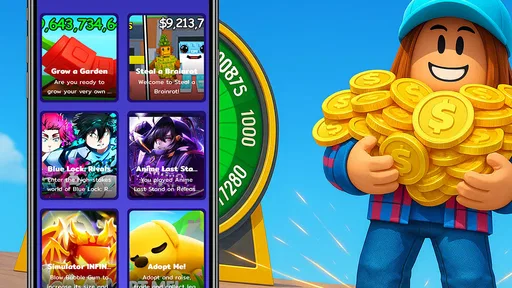
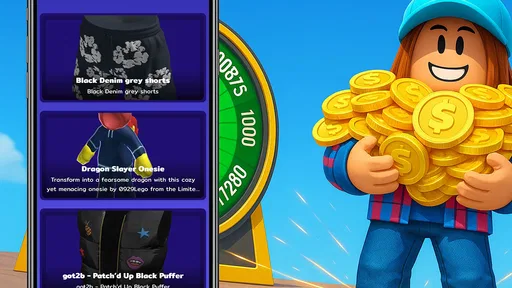
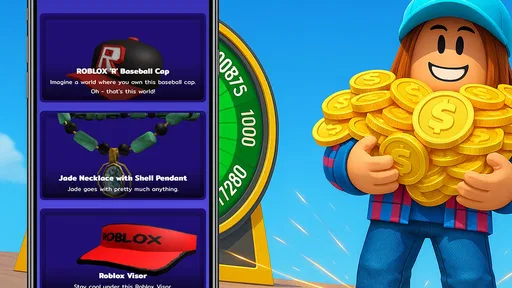
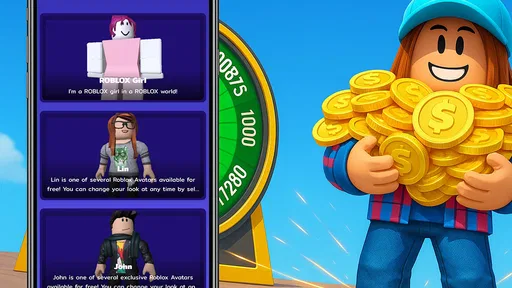
 Analysis by AppCompare
I’d approach Robux and Skins for Roblox as a place to explore avatar ideas, not as a shortcut to getting currency. That distinction matters from the moment you open it: the appeal is browsing looks and deciding what suits your Roblox character, while any claim involving Robux deserves a much more careful look. If you’re trying it for the first time, a little patience and a clear sense of what you expect will make the experience easier to judge.
What to expect from this Roblox companion
This is a free app in the Libraries & Demo category, developed by Alex Haase. It focuses on skins and outfits for Roblox, so the most natural reason to open it is to gather inspiration for an avatar or browse styles you might want to recreate. It isn’t a Roblox game itself, and I wouldn’t treat it as a replacement for Roblox’s own avatar tools or account features.
The app is listed for Everyone and has over fifty thousand installs. Its current release is version one, and it requires Android 7.0 or later. The average rating currently sits at zero, so there isn’t a user-score signal I’d rely on to decide whether it suits me. I’d instead take a few minutes to inspect the app’s actual content and decide whether the outfit ideas are useful for my own style.
For a first-time user, the best expectation is modest: browse, compare, and use what you see as inspiration. A collection can be handy when you want a fresh look but don’t know what to search for in Roblox. It is less suitable if your main goal is guaranteed currency, a verified account benefit, or a direct substitute for official Roblox purchasing and customization options.
Getting started without rushing
When I try a companion app like this, I begin by looking around before tapping anything that sounds like an account connection, reward, or currency offer. I check whether an outfit is presented as an idea to recreate or as something that can be applied directly, then follow only the steps that are clear and relevant. That small pause helps separate visual browsing from actions that could involve an account.
For a smoother first session, decide on a simple target: perhaps a color palette, a character theme, or one piece of clothing you want to build around. Then browse with that goal in mind rather than saving every look that catches your eye. This is especially useful on a phone, where collecting too many possibilities can turn a quick search into an unhelpful pile of screenshots and half-made plans.
If you’re helping a younger Roblox player, I’d sit nearby for the first look and agree on what counts as a useful result: a style idea, a costume concept, or a reference to search for in Roblox. The Everyone age classification makes the app broadly accessible, but it doesn’t remove the need for sensible judgment around account details and claims about virtual currency. I’d keep passwords and sensitive account information out of any third-party flow unless I had a clear, trusted reason to use it.
Worth Reading Before You Choose

EA SPORTS FC Mobile 26 Is a Bigger Football Game, but It Takes Time

Flipboard Shows What News Apps Must Do Beyond the Feed

Switching to Android Auto Means Rethinking Your Driving Routine

Google Calendar Makes a Crowded Week Easier to Manage

Ludo King Makes the Most of the Minutes Between Plans

Baby Panda World Brings Quick Play to Modern Phones, but Its Game Library Feels Busy
Turning browsing into a useful first result
A practical first success doesn’t have to mean obtaining an item. It can be finding a look that gives you a clear direction for your avatar. I’d pick one outfit concept, note its standout elements—such as its overall mood, dominant colors, or accessory style—and then see whether those elements can be recreated through Roblox’s own options. That gives you a concrete outcome without depending on uncertain promises.
There’s also a useful way to avoid choosing a look that feels impressive in a picture but awkward in play: ask whether you would still like it when viewed from different angles or alongside friends’ avatars. A highly themed outfit can be fun for role-play, while a simpler combination may work better across different Roblox experiences. Treating a skin as a starting point rather than a ready-made answer gives you more control over the final result.
If you’re browsing with a friend, compare a couple of different directions instead of trying to agree on one perfect outfit immediately. One person might prefer a bold costume, while another wants something closer to everyday streetwear. That quick comparison can reveal what you actually like and make the next search more focused. It also turns the app into a source of shared ideas rather than a promise that every displayed look will transfer neatly into your account.
Understanding the limits and choosing alternatives
The main caution is the Robux angle. I would not assume that an app can safely or reliably add currency to a Roblox account simply because it presents a generator or reward claim. Avoid entering your login details into a flow you don’t trust, and don’t make decisions based on a promise of free currency. For purchases or account-related actions, Roblox’s official options are the more sensible place to start.
This is where the app differs from the usual alternatives. Roblox’s own avatar tools are the direct route when you want to customize your character or manage items through your account. A general image search can offer a broad range of outfit inspiration, but it may take more effort to sort through. A focused skin collection can make discovery feel more deliberate; the trade-off is that browsing material in a companion app does not automatically mean it is official, available in Roblox, or transferable.
There are a few cases where I’d skip this app. If you only want to buy or equip official items, go straight to Roblox. If you’re looking for a guaranteed way to earn Robux, I would not rely on a third-party generator. And if you already know exactly what you want, searching for that item or style through Roblox may be faster than browsing a separate collection.
On the other hand, it may suit someone who enjoys collecting visual references, is still figuring out an avatar’s personality, or wants a starting point for a themed look. I’d use it as an idea board: save a small number of concepts, choose one detail to adapt, and then do the actual account customization through trusted Roblox channels. That workflow keeps the creative part useful without confusing inspiration with a confirmed in-game reward.
A realistic everyday use might be a few minutes before joining a role-play session: you want a character that fits the setting, but you haven’t settled on a style. I’d browse with that setting in mind, pick a recognizable theme, and then recreate only the parts that work with the options available in Roblox. If nothing feels right, I’d close the app and try a different source rather than spend a long time chasing one exact image.
Common confusion before you decide
The word “skins” can mean different things to different players. Here, I’d treat it as a collection of outfit and avatar-style ideas unless I have a clear, trustworthy path showing that a particular item is available through Roblox itself. Seeing a design in a companion app does not by itself establish that it is an official item or that it can be moved into an account.
It’s also easy to confuse an offer involving Robux with a dependable method of earning it. I’d separate those questions: use the app, if it helps, to explore looks; use Roblox’s own channels for account actions and currency decisions. That boundary answers the practical question of whether a new user needs to connect an account to enjoy the creative side: browsing outfit ideas does not require me to treat a currency claim as trustworthy.
Another common question is whether the app is worth opening if you already have a favorite avatar style. I think it can still be useful when you want a different theme for a particular session, but there’s little reason to browse just for the sake of it. If the collection doesn’t quickly give you a direction you like, your own saved references or Roblox’s built-in customization may be a better fit.
First Impressions and Interface
Upon launching the app, the first thing I noticed was its vibrant and engaging interface. Everything is laid out in a user-friendly manner, which makes navigating through the app a breeze. The colors and graphics are quite appealing, capturing the playful essence of Roblox itself. If you’re new to this kind of app, don’t worry—everything is pretty intuitive.
Exploring the Features
Now, onto the juicy details. The app offers a variety of skins and accessories to customize your avatar, which is a major win in my book. Who doesn’t want their avatar to look unique and stand out in the Roblox universe? There are several categories to choose from, like casual wear, fantasy, and even some quirky costumes for special occasions.
But what really caught my attention was the Robux generator feature. It promises to help you earn Robux, the in-game currency, which can be a game-changer if you’re looking to buy exclusive items or access special features. While the app claims these features are legit, I’d recommend proceeding with caution and ensuring everything is above board.
Usability and Performance
Using the app is pretty straightforward. You can easily browse through the skins and select your favorites with just a few taps. Downloading them onto your Roblox account is seamless, with clear instructions provided. One thing that I found particularly useful was the search bar—it really speeds up the process when you’re hunting for something specific.
Performance-wise, the app runs smoothly without any noticeable lags. It’s compatible with both Android and iOS, so no one’s left out. Just make sure your device is updated to the latest version to avoid any hiccups.
The Community Factor
One aspect I really appreciate is the community element built into the app. Users can rate and review different skins, which helps in making informed decisions before downloading. Plus, you can even submit your own creations and share them with other users. It’s a fantastic way to engage with fellow Roblox fans and showcase your creativity.
Final Thoughts
Overall, Robux and Skins for Roblox offers an exciting way to enhance your Roblox gameplay. It’s packed with features that allow you to express yourself through your avatar creatively and potentially earn some Robux along the way. However, as with any app that involves third-party interactions with your game account, always proceed with caution and do your research.
So, if you’re looking to add a splash of fun and creativity to your Roblox adventures, this app might just be worth a try. Happy gaming, and may your Roblox journey be filled with endless fun and creativity!
Who I’d recommend it to—and what I’d do next
My recommendation depends on what you want from it. If you’re a first-time user who enjoys planning an avatar before changing it, the collection can be a low-pressure place to explore ideas. If you’re a parent or older sibling helping someone choose a look, keep the first session focused on designs and make account safety part of the conversation. The app is free, which makes a brief trial easy, but free access alone is not a reason to trust every currency-related claim.
After finding a style you like, I’d take one next step rather than keep browsing: identify the main feature that makes it appealing, then look for a legitimate way to recreate that idea in Roblox. It might be the color combination, a fantasy theme, or the contrast between a simple outfit and a striking accessory. This keeps the result personal, and it avoids the disappointment of expecting an image or claim in a separate app to behave like an item already attached to your Roblox account.
As a Libraries & Demo app, its strongest role is supporting discovery, not replacing the game. That distinction is useful when deciding how much time to spend here. I’d open it when I need inspiration, close it when I have a direction, and use Roblox itself for the final account-side choices. If the collection doesn’t help you reach that point, there’s no need to force it into your routine.
A measured recommendation
I’d give this app a cautious try if avatar styling is part of what makes Roblox fun for you. The useful payoff is a fresh idea or a clearer plan for your character; the part I’d treat skeptically is any suggestion that currency can be generated through a companion app. A zero average rating is not a meaningful endorsement, so I wouldn’t use it as proof of quality either way. Judge the experience by whether its outfit browsing actually helps you decide what you want.
In short, I see it as an optional creative reference rather than an essential Roblox tool. It can be worthwhile for players who like comparing looks and building a character concept, while people seeking official items, direct account controls, or dependable currency should stick with Roblox’s own routes. Keep that boundary in mind, and your first visit can stay focused on the enjoyable part: finding a look that feels like yours.
Pros
- Wide variety of skins available.
- User-friendly interface for easy navigation.
- Regular updates with new content.
- Customization options enhance user experience.
- Supports both Android and iOS platforms.
Cons
- Contains ads which may interrupt usage.
- Some skins require in-app purchases.
- Limited free content available.
- Requires internet connection for full functionality.
- Occasional bugs in the skin application process.
FAQs for Robux and Skins for Roblox
What is Robux and Skins for Roblox and how does it work?
Robux and Skins for Roblox is an app designed to enhance your Roblox gaming experience by providing information on acquiring Robux and customizing avatars with unique skins. The app offers guides, tips, and strategies to help users understand how to optimize their resources in Roblox. However, it does not directly provide Robux or skins.
Is Robux and Skins for Roblox safe to use?
The app itself does not interfere with your Roblox account, as it only provides informational content and resources. However, users should always be cautious and avoid sharing personal or account information through the app or any third-party links it may provide, ensuring their account security remains intact.
Does the app provide free Robux and skins?
No, Robux and Skins for Roblox does not offer free Robux or skins directly. Instead, it provides users with tips and strategies to earn Robux through legitimate means within the Roblox platform. Any claims of free Robux should be approached with caution, as they often involve scams.
Can I use this app on both Android and iOS devices?
Yes, Robux and Skins for Roblox is available for download on both Android and iOS platforms. Users can find it on the Google Play Store for Android devices and the App Store for iOS devices, making it accessible for a wide range of users regardless of their device preference.
Are there any in-app purchases or ads within the app?
Robux and Skins for Roblox may contain ads and optional in-app purchases that can enhance the experience by providing additional content or removing ads. Users should review the app’s description and settings to understand any costs involved and decide if these features are necessary for their needs.


